Security Wireless and Networks for Small Business
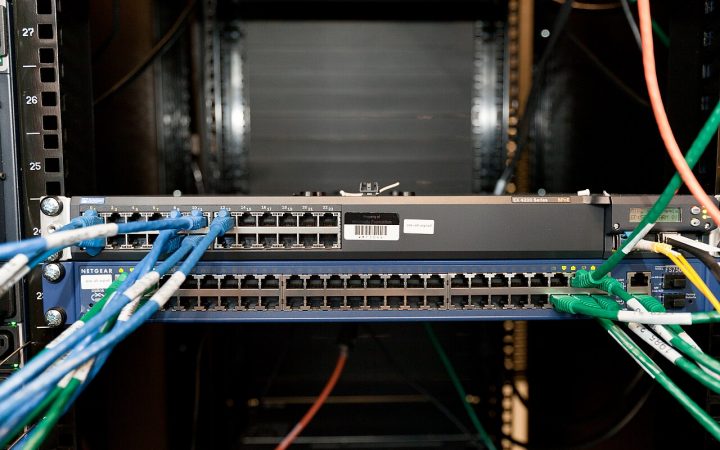
Learn to secure your office Wi-Fi, router and network so guests, smart devices and remote staff cannot become a way in. Step-by-step guides help you apply…
$120.00
Purchase Now

A plain-English starting point for owners and managers who know security matters but are not sure where to begin. In about four hours you will put the essential protections in place and leave with a simple plan for the rest.
This program is built for small business owners, founders and office managers who are responsible for keeping the business safe online but do not have a technical background. If you can manage email, a shared drive and a handful of business apps, you already have everything you need to follow along.
We start with how attacks on small businesses actually happen, then work through the small set of controls that stop most of them. There is no jargon without an explanation and no fear-mongering, just practical steps in a sensible order.
The program is fully self-paced. Short video lessons, most under 15 minutes, walk you through each topic, and every lesson ends with one concrete action you can take that day. The companion workbook keeps your notes, decisions and progress in one place, so by the end you have a written record of what you have protected and what comes next.
You can complete everything in a single afternoon or spread it over a few weeks. Lessons work on desktop, tablet and phone, and you can revisit any module whenever you need a refresher. When you finish, try our free security risk self-assessment to see how far you have come, and read the small business cybersecurity checklist for a one-page summary to keep on hand.
Not sure this is the right fit? Digital programs are covered by our refund policy, and you can always book a free consultation through Get Started if you would rather talk it through first.
The common ways criminals reach small businesses, why size is not a defense, and the handful of controls that stop most attacks.
Build a quick inventory of devices, accounts, apps and important data so you know exactly what you are protecting.
Choose and roll out a password manager, turn on multi-factor authentication for key accounts and retire shared logins.
Recognize suspicious emails, texts and invoice changes, and set up a simple verification habit for money requests.
Turn on automatic updates, use built-in protection tools and lock down lost or stolen laptops and phones.
Decide what to back up, where to keep copies and how to test a restore before you ever need one.
A calm, step-by-step response plan covering who to call, what to disconnect and what not to delete.
Learn to secure your office Wi-Fi, router and network so guests, smart devices and remote staff cannot become a way in. Step-by-step guides help you apply…
Practical security awareness training that everyone on your team can understand, from the front desk to the founder. Short, friendly lessons build the everyday habits that…
A focused bootcamp that helps small businesses prevent ransomware, limit the damage if it strikes and recover with confidence. You will finish with tested backups, a…
A practical guide to locking down Microsoft 365 or Google Workspace, the systems most small businesses now run on. Follow side-by-side checklists to secure accounts, email,…
A ready-to-edit set of security policy templates written in plain English for small businesses. Short video walkthroughs show you how to tailor each policy, roll it…